2025. 5. 14. 16:46ㆍiOS 정리/실습
이 글은 한성현 교수님의 ‘iOS 프로그램 실무’ 강의를 수강한 후, 복습을 위해 작성된 글입니다.
주로 실습 위주의 내용을 다루고 있습니다.
[iOS] 프로그래밍 실무 복습 #10 Open API기반 iOS앱 만들기 - TableView로 기본 UI구성하기(네트워킹,JSON p
더보기이 글은 한성현 교수님의 ‘iOS 프로그램 실무’ 강의를 수강한 후, 복습을 위해 작성된 글입니다.주로 실습 위주의 내용을 다루고 있습니다. shift + cmd + lView에 Table View 추가 Add New Constraints
wse46.tistory.com
이어서 실습 진행하도록 하겠습니다.
- JSON parsing
- 오토레이아웃(Auto Layout), 스택 뷰(Stack View)
- 천(3자리)단위 콤마 추가
- tableView(_:titleForHeaderInSection:)
JSONDecoder
func decode<T>(T.Type, from: Data) throws -> T1. func decode<T>(T.Type, from: Data)
- `func decode<T>`
→ `decode`라는 함수를 제네릭(Generic)으로 선언합니다.
- `<T>`는 타입 파라미터(타입 변수)입니다. 즉, 이 함수가 다양한 타입에 쓸 수 있도록 함.
- `(T.Type, from: Data)`
→ 이 함수는 두개의 파라미터를 받습니다:
1. `T.Type`
- 타입(T)을 가리키는 값.
- 예: `MyStruct.self`, `Int.self`, 즉 "내가 어떤 타입을 원한다"라고 넘깁니다.
2. `from: Data`
- Data 타입의 데이터를 넘깁니다.
- 이 Data는 JSON이든, plist든, Raw 바이너리든 뭐든 가능합니다.
(Data는 Swift에서 바이트 배열을 표현하는 타입입니다.)
2. throws
- 함수가 예외를 던질 수도 있음을 나타냅니다.
- 즉, 이 함수 내부에서 오류가 발생하면 `throw` 할 수도 있으니,
- 이 함수를 쓸 땐 try나 try? 또는 try!를 붙여야 합니다.
3. -> T
- 이 함수는 T타입의 값을 반환합니다.
- 즉, 이 함수에 "어떤 타입으로 디코딩 좀 해줘!"라고 요청하면,
- 그 타입으로 만든(즉, 복원된) 객체를 돌려줍니다.
- T는 제네릭 타입이므로, Int, String, MyStruct 등 다양하게 쓸 수 있습니다.
예시
struct User: Decodable {
    let name: String
}

let json = """
{
    "name": "홍길동"
}
""".data(using: .utf8)!

let decoder = JSONDecoder()
let user = try decoder.decode(User.self, from: json)
//           ^    ^            ^
//           |    |            |
//        반환타입 User    파라미터 #1 (어떤타입인지)
//                        파라미터 #2 (디코드할 데이터)
- 여기서,
- `User.self`가 위 함수의 첫번째 파라미터(T.Type),
- `from: json`이 두번째 파라미터(Data),
- 반환값은 타입 `User`.
- 만약 JSON이 잘못됐다면 오류(throw)가 발생하겠죠.
결론
decode 함수는?
- 다양한 타입으로(제네릭) 데이터를 복원(디코딩)하는 함수다.
- 어떤 타입으로 변환할지(T.Type)와, 데이터(Data)를 파라미터로 받는다.
- 디코딩을 실패할 수 있으므로 throws라서 예외 처리 필요.
- 반환값은 요청한 타입(T)의 값이다.
즉:
"이 Data를 T타입으로 변환해서 돌려줄게! 실패하면 예외 던질 거야!"
import UIKit

let movie = ["야당", "야당1", "야당2", "야당3", "야당4"]
struct MovieData : Codable {
    let boxOfficeResult : BoxOfficeResult
}
struct BoxOfficeResult : Codable {
    let dailyBoxOfficeList : [DailyBoxOfficeList]
}
struct DailyBoxOfficeList : Codable {
    let movieNm : String
    let audiCnt : String
    let audiAcc : String
    let rank : String
}
class ViewController: UIViewController, UITableViewDelegate, UITableViewDataSource {
    @IBOutlet weak var table: UITableView!
    var movieData : MovieData?
    let movieURL = "https://kobis.or.kr/kobisopenapi/webservice/rest/boxoffice/searchDailyBoxOfficeList.json?key=3afe8c909401ffefe14147a11348b3fc&targetDt=20250513"

    override func viewDidLoad() {
        super.viewDidLoad()
        table.delegate = self
        table.dataSource = self
        getData()
    }
    func getData(){
        guard let url = URL(string: movieURL) else { return }
        let session = URLSession(configuration: .default)
        let task = session.dataTask(with: url) { data, response, error in
            if error != nil {
                print("error")
                return
            }
            guard let JSONdata = data else { return }
            let dataString = String(data: JSONdata, encoding: .utf8)
            // print(dataString!)
            let decoder = JSONDecoder()
            do {
                let decodedData = try decoder.decode(MovieData.self, from: JSONdata)
                movieData = decodedData
                print(decodedData.boxOfficeResult.dailyBoxOfficeList[0].movieNm)
                print(decodedData.boxOfficeResult.dailyBoxOfficeList[0].audiAcc)
            } catch {
                print(error)
            }

        }
        task.resume()
    }

    func tableView(_ tableView: UITableView, numberOfRowsInSection section: Int) -> Int {
        return 5
    }

    func tableView(_ tableView: UITableView, cellForRowAt indexPath: IndexPath) -> UITableViewCell {
        let cell = tableView.dequeueReusableCell(
            withIdentifier: "myCell",
            for: indexPath
        ) as! MyTableViewCell
        cell.movieName.text = movie[indexPath.row]
        return cell
    }

    func tableView(_ tableView: UITableView, didSelectRowAt indexPath: IndexPath) {
        // print(indexPath.description)
    }

    func numberOfSections(in tableView: UITableView) -> Int {
        return 5
    }

}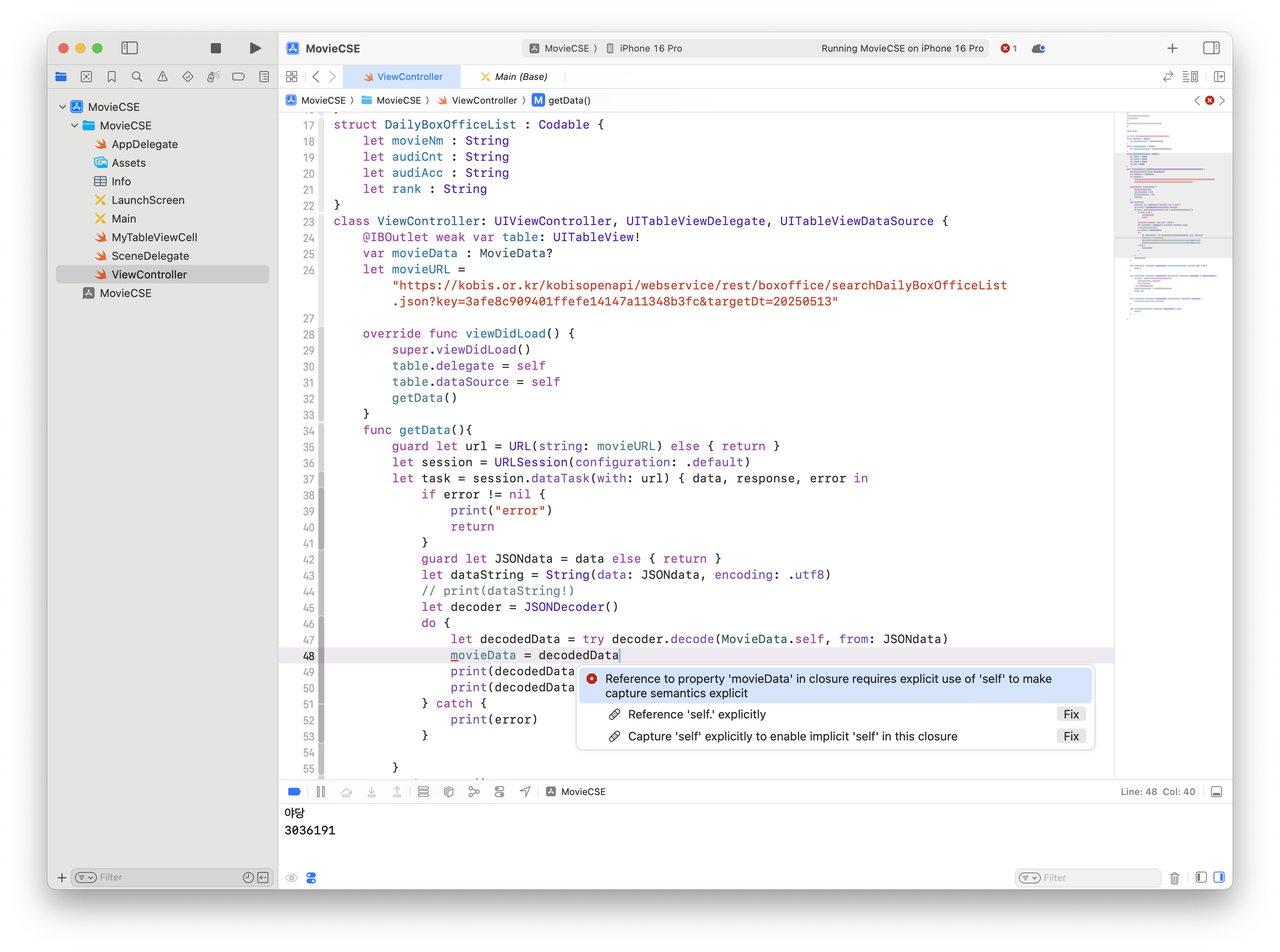
아래처럼 수정
self.movieData = decodedData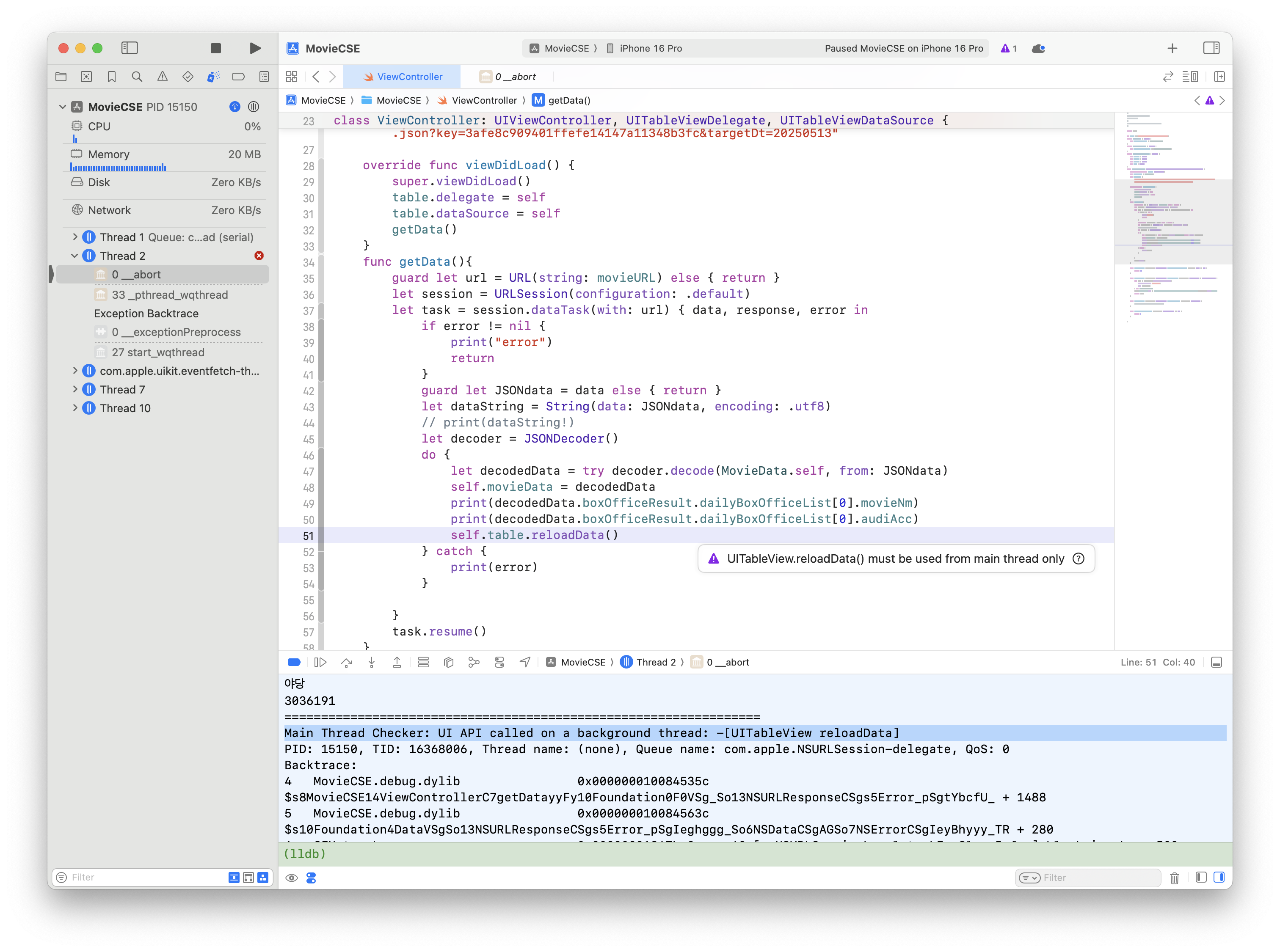
아래처럼 수정
            do {
                let decodedData = try decoder.decode(MovieData.self, from: JSONdata)
                self.movieData = decodedData
                print(decodedData.boxOfficeResult.dailyBoxOfficeList[0].movieNm)
                print(decodedData.boxOfficeResult.dailyBoxOfficeList[0].audiAcc)
                DispatchQueue.main.async {
                    self.table.reloadData()
                }
            } catch {
                print(error)
            }
전체 코드 및 실행결과
import UIKit

let movie = ["야당", "야당1", "야당2", "야당3", "야당4"]
struct MovieData : Codable {
    let boxOfficeResult : BoxOfficeResult
}
struct BoxOfficeResult : Codable {
    let dailyBoxOfficeList : [DailyBoxOfficeList]
}
struct DailyBoxOfficeList : Codable {
    let movieNm : String
    let audiCnt : String
    let audiAcc : String
    let rank : String
}
class ViewController: UIViewController, UITableViewDelegate, UITableViewDataSource {
    @IBOutlet weak var table: UITableView!
    var movieData : MovieData?
    let movieURL = "https://kobis.or.kr/kobisopenapi/webservice/rest/boxoffice/searchDailyBoxOfficeList.json?key=3afe8c909401ffefe14147a11348b3fc&targetDt=20250513"

    override func viewDidLoad() {
        super.viewDidLoad()
        table.delegate = self
        table.dataSource = self
        getData()
    }
    func getData(){
        guard let url = URL(string: movieURL) else { return }
        let session = URLSession(configuration: .default)
        let task = session.dataTask(with: url) { data, response, error in
            if error != nil {
                print("error")
                return
            }
            guard let JSONdata = data else { return }
            let dataString = String(data: JSONdata, encoding: .utf8)
            // print(dataString!)
            let decoder = JSONDecoder()
            do {
                let decodedData = try decoder.decode(MovieData.self, from: JSONdata)
                self.movieData = decodedData
                print(decodedData.boxOfficeResult.dailyBoxOfficeList[0].movieNm)
                print(decodedData.boxOfficeResult.dailyBoxOfficeList[0].audiAcc)
                DispatchQueue.main.async {
                    self.table.reloadData()
                }
            } catch {
                print(error)
            }

        }
        task.resume()
    }

    func tableView(_ tableView: UITableView, numberOfRowsInSection section: Int) -> Int {
        return 10
    }

    func tableView(_ tableView: UITableView, cellForRowAt indexPath: IndexPath) -> UITableViewCell {
        let cell = tableView.dequeueReusableCell(
            withIdentifier: "myCell",
            for: indexPath
        ) as! MyTableViewCell
        cell.movieName.text = movieData?.boxOfficeResult.dailyBoxOfficeList[indexPath.row].movieNm
        return cell
    }

    func tableView(_ tableView: UITableView, didSelectRowAt indexPath: IndexPath) {
        // print(indexPath.description)
    }

    func numberOfSections(in tableView: UITableView) -> Int {
        return 1
    }

}
개선 : 앱을 실행하면 어제 날짜로 자동 조회하기
let movieURL = "https://kobis.or.kr/kobisopenapi/webservice/rest/boxoffice/searchDailyBoxOfficeList.json?key=3afe8c909401ffefe14147a11348b3fc&targetDt=0513"1. let을 var로 변경
2. targetDt= 뒤의 날짜 삭제
3. 아래처럼 코드 수정
class ViewController: UIViewController, UITableViewDelegate, UITableViewDataSource {
    @IBOutlet weak var table: UITableView!
    var movieData : MovieData?
    var movieURL = "https://kobis.or.kr/kobisopenapi/webservice/rest/boxoffice/searchDailyBoxOfficeList.json?key=3afe8c909401ffefe14147a11348b3fc&targetDt="

    override func viewDidLoad() {
        super.viewDidLoad()
        table.delegate = self
        table.dataSource = self
        movieURL = movieURL + makeYesterdayString()
        getData()
    }
    func makeYesterdayString() -> String {
           let y = Calendar.current.date(byAdding:.day, value :-1, to : Date())!
           let dateF = DateFormatter()
           dateF.dateFormat = "yyyyMMdd"
           let day = dateF.string(from: y)
           return day
    }
전체 코드
import UIKit

let movie = ["야당", "야당1", "야당2", "야당3", "야당4"]
struct MovieData : Codable {
    let boxOfficeResult : BoxOfficeResult
}
struct BoxOfficeResult : Codable {
    let dailyBoxOfficeList : [DailyBoxOfficeList]
}
struct DailyBoxOfficeList : Codable {
    let movieNm : String
    let audiCnt : String
    let audiAcc : String
    let rank : String
}
class ViewController: UIViewController, UITableViewDelegate, UITableViewDataSource {
    @IBOutlet weak var table: UITableView!
    var movieData : MovieData?
    var movieURL = "https://kobis.or.kr/kobisopenapi/webservice/rest/boxoffice/searchDailyBoxOfficeList.json?key=3afe8c909401ffefe14147a11348b3fc&targetDt="

    override func viewDidLoad() {
        super.viewDidLoad()
        table.delegate = self
        table.dataSource = self
        movieURL = movieURL + makeYesterdayString()
        getData()
    }
    func makeYesterdayString() -> String {
           let y = Calendar.current.date(byAdding:.day, value :-1, to : Date())!
           let dateF = DateFormatter()
           dateF.dateFormat = "yyyyMMdd"
           let day = dateF.string(from: y)
           return day
    }
    func getData(){
        guard let url = URL(string: movieURL) else { return }
        let session = URLSession(configuration: .default)
        let task = session.dataTask(with: url) { data, response, error in
            if error != nil {
                print("error")
                return
            }
            guard let JSONdata = data else { return }
            let dataString = String(data: JSONdata, encoding: .utf8)
            // print(dataString!)
            let decoder = JSONDecoder()
            do {
                let decodedData = try decoder.decode(MovieData.self, from: JSONdata)
                self.movieData = decodedData
                print(decodedData.boxOfficeResult.dailyBoxOfficeList[0].movieNm)
                print(decodedData.boxOfficeResult.dailyBoxOfficeList[0].audiAcc)
                DispatchQueue.main.async {
                    self.table.reloadData()
                }
            } catch {
                print(error)
            }

        }
        task.resume()
    }

    func tableView(_ tableView: UITableView, numberOfRowsInSection section: Int) -> Int {
        return 10
    }

    func tableView(_ tableView: UITableView, cellForRowAt indexPath: IndexPath) -> UITableViewCell {
        let cell = tableView.dequeueReusableCell(
            withIdentifier: "myCell",
            for: indexPath
        ) as! MyTableViewCell
        cell.movieName.text = movieData?.boxOfficeResult.dailyBoxOfficeList[indexPath.row].movieNm
        return cell
    }

    func tableView(_ tableView: UITableView, didSelectRowAt indexPath: IndexPath) {
        // print(indexPath.description)
    }

    func numberOfSections(in tableView: UITableView) -> Int {
        return 1
    }

}
AutoLayout
Label 디자인 변경시 : Resolve Auto Layout Issues
원하지 않는 제약이 추가되거나, 기존 제약이 의도치 않게 바뀔 수 있어서 비추
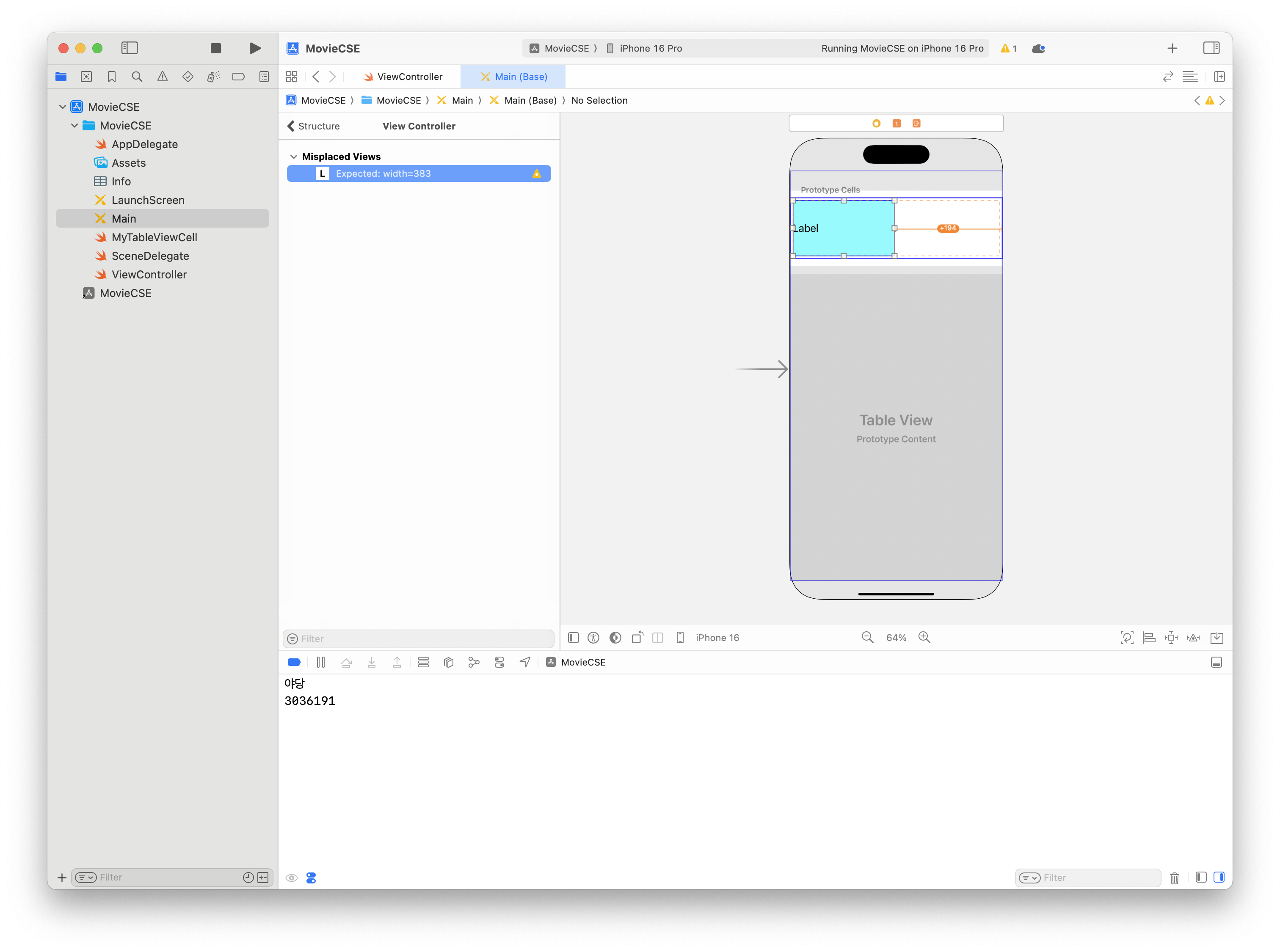

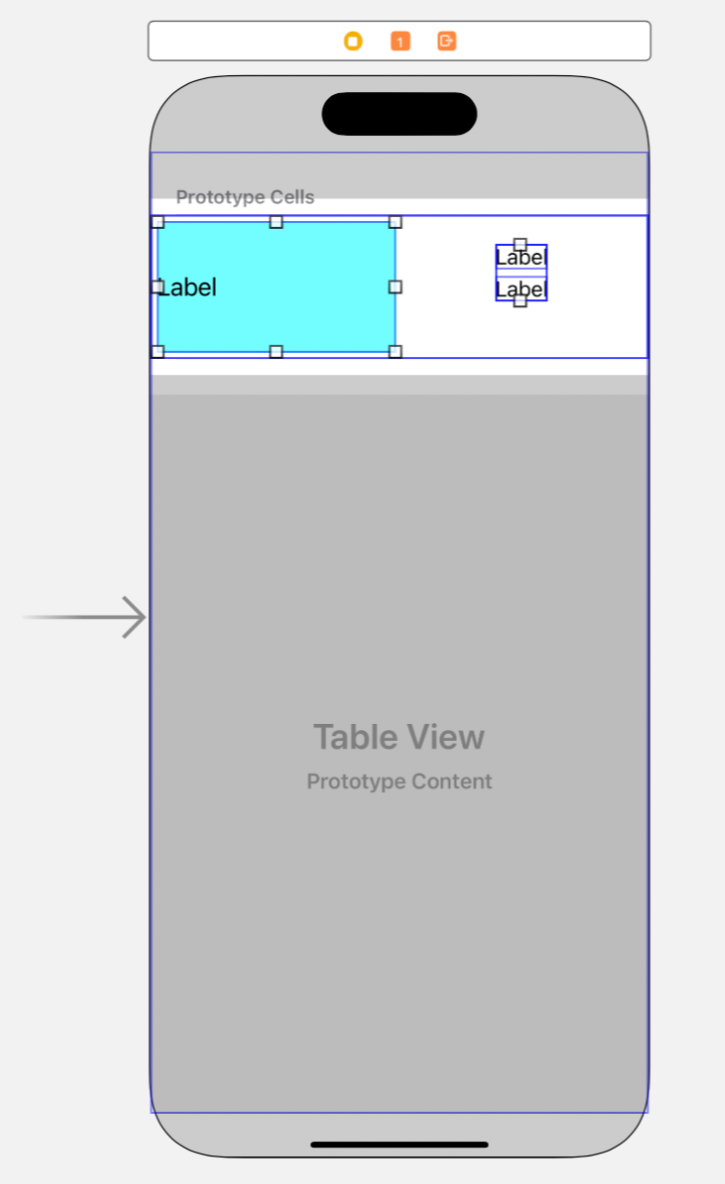
더 좋은 방법 : 현재 Constraint 삭제하고 Stack View 활용

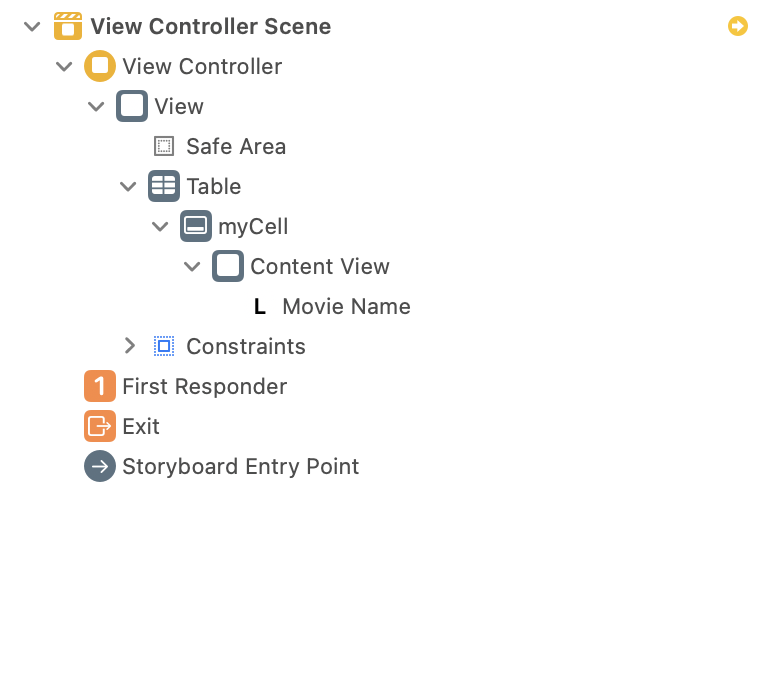

레이블 2개를 새로 만들어 Stack View에 넣기
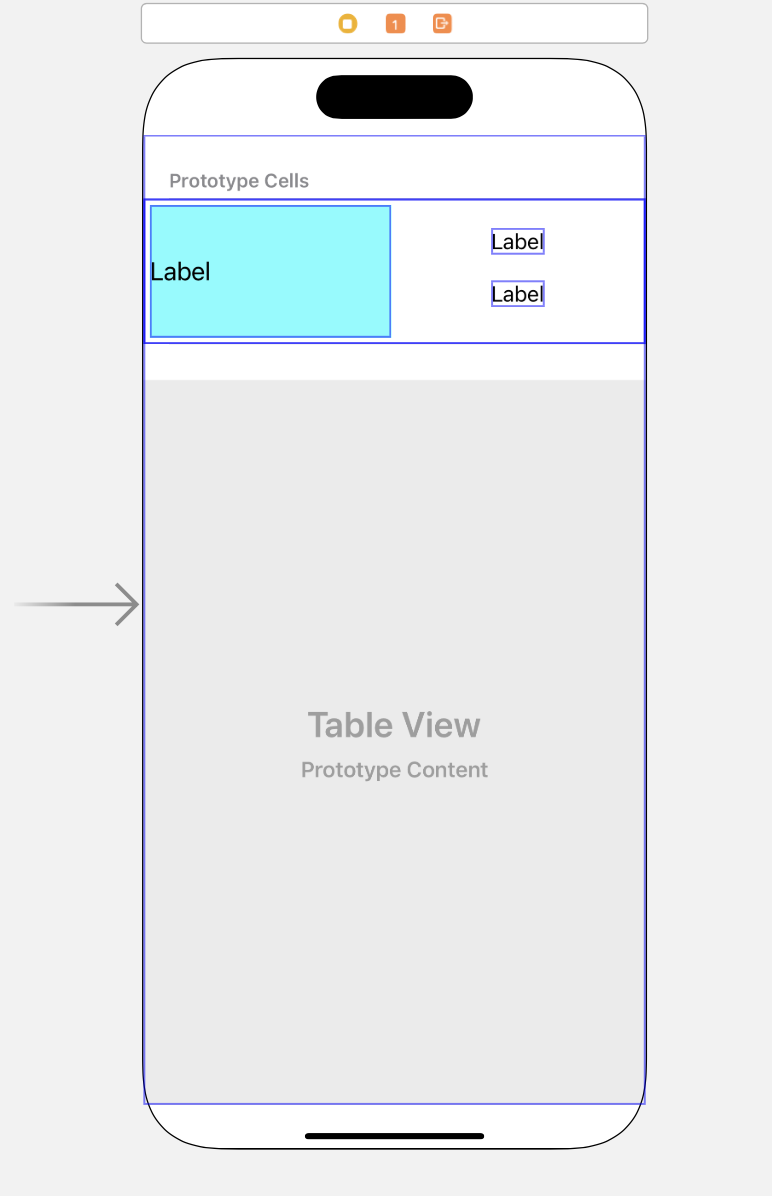
Stack View로 Constraints 지정
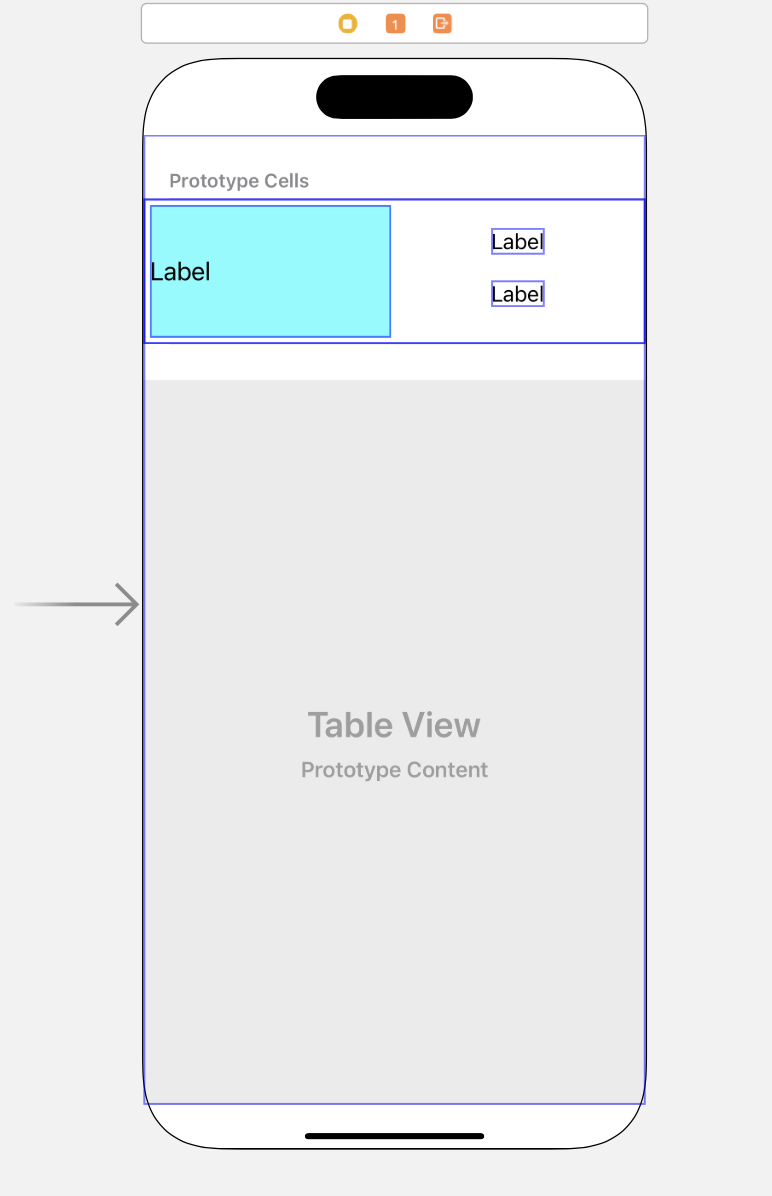
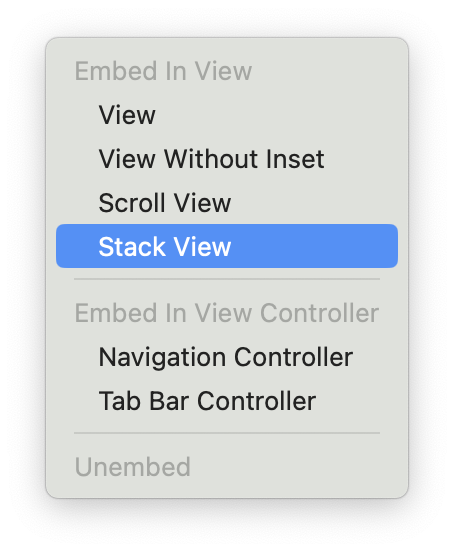
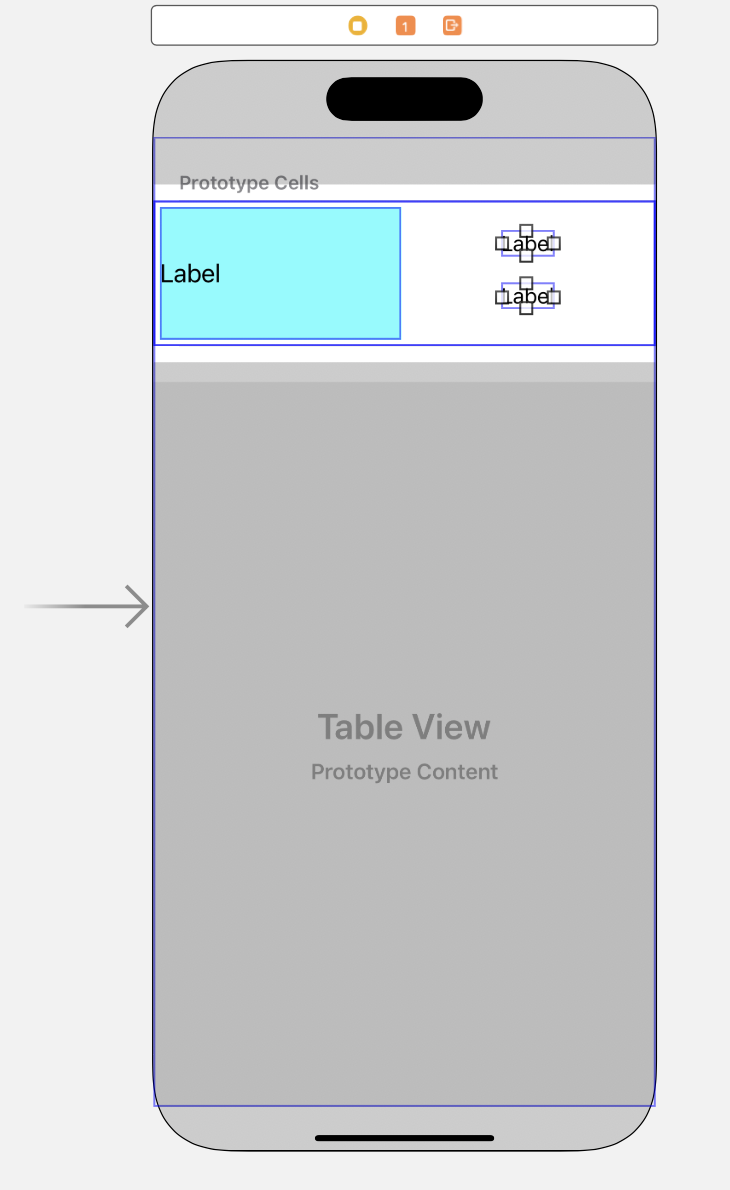
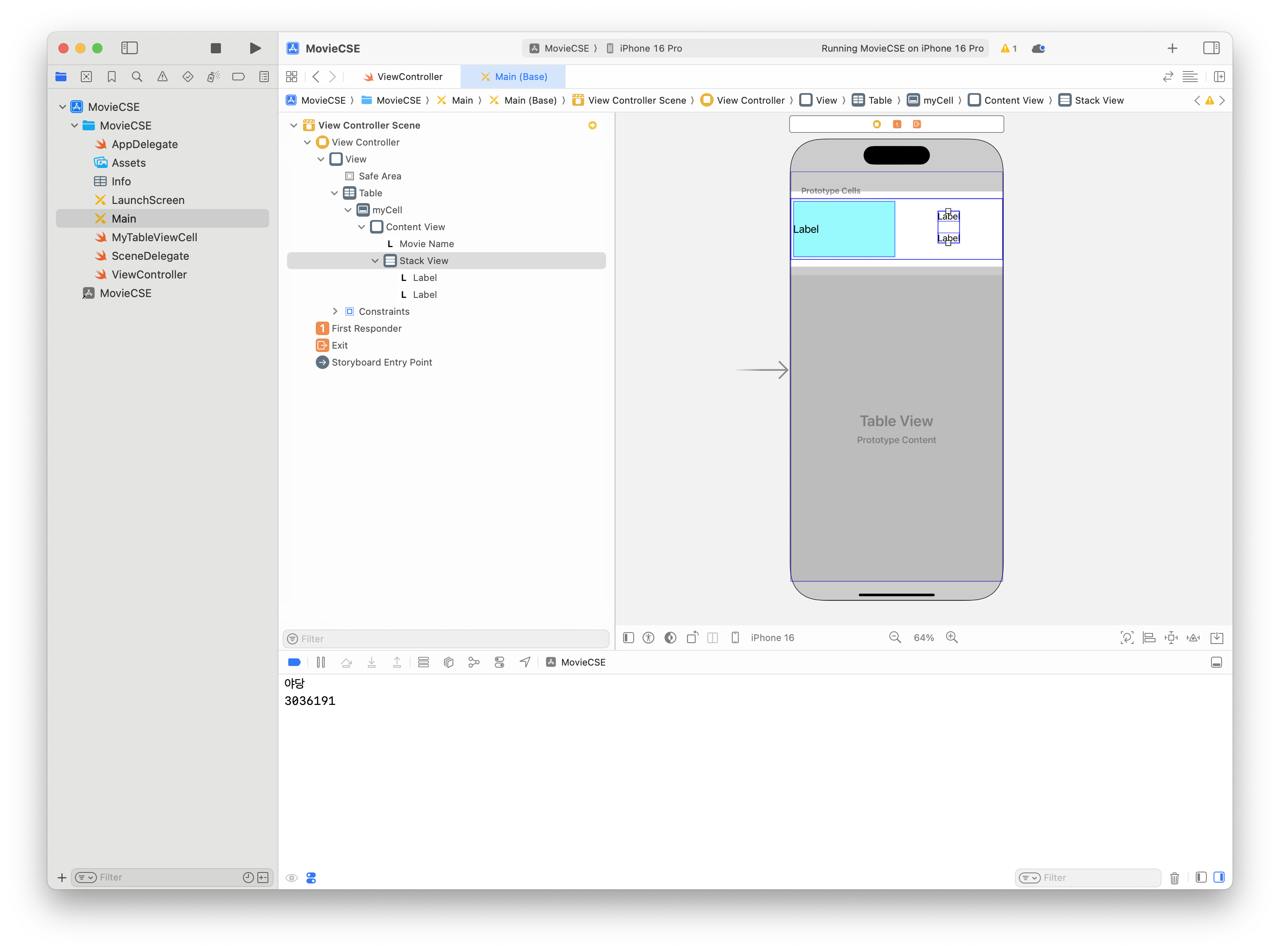
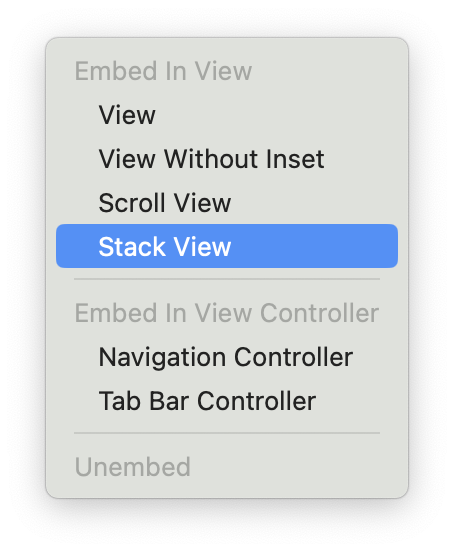
새로운 Stack View로 레이블과 기존 Stack View 포함시킴
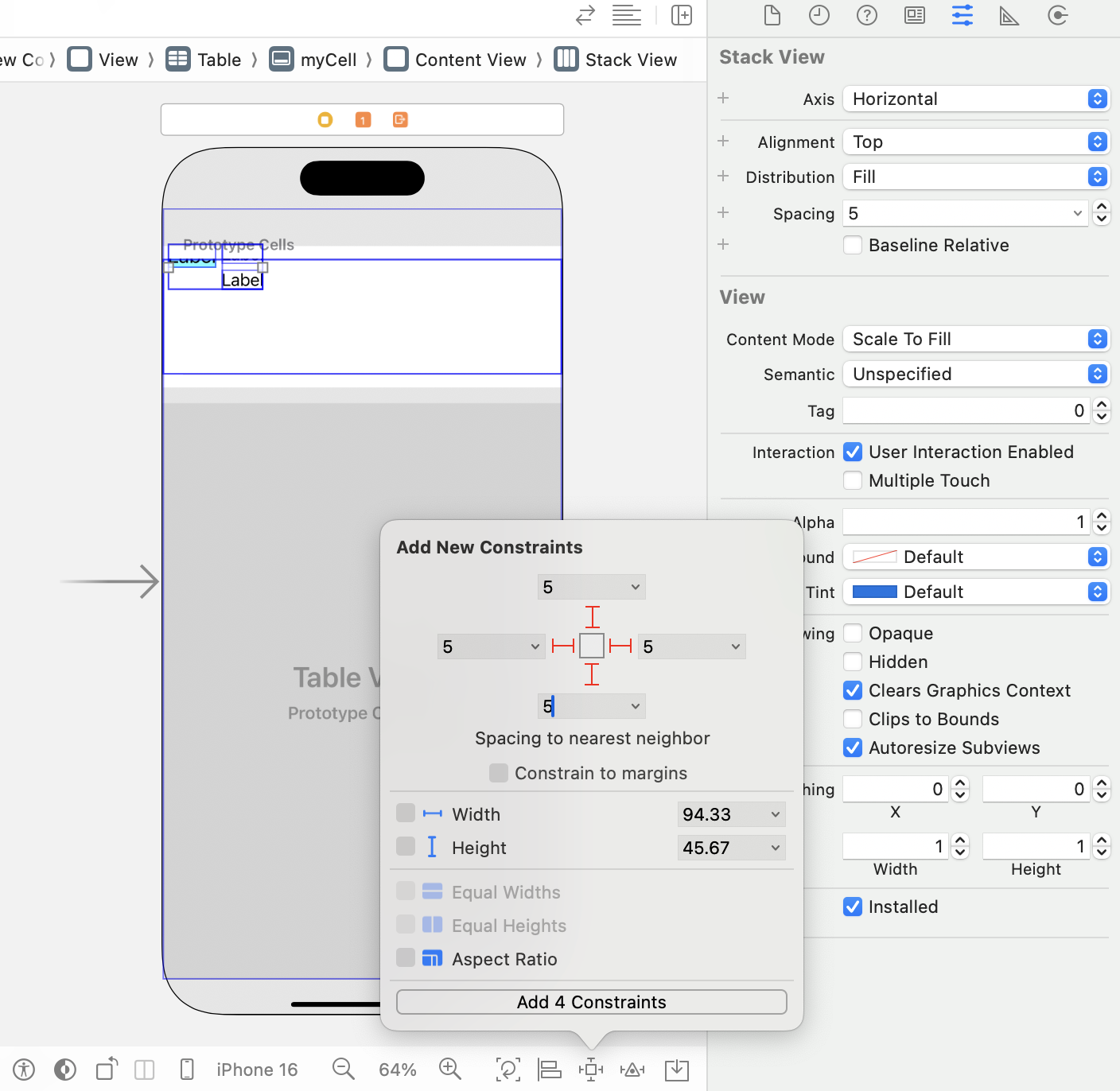
바깥쪽 스택뷰의 constraint 지정
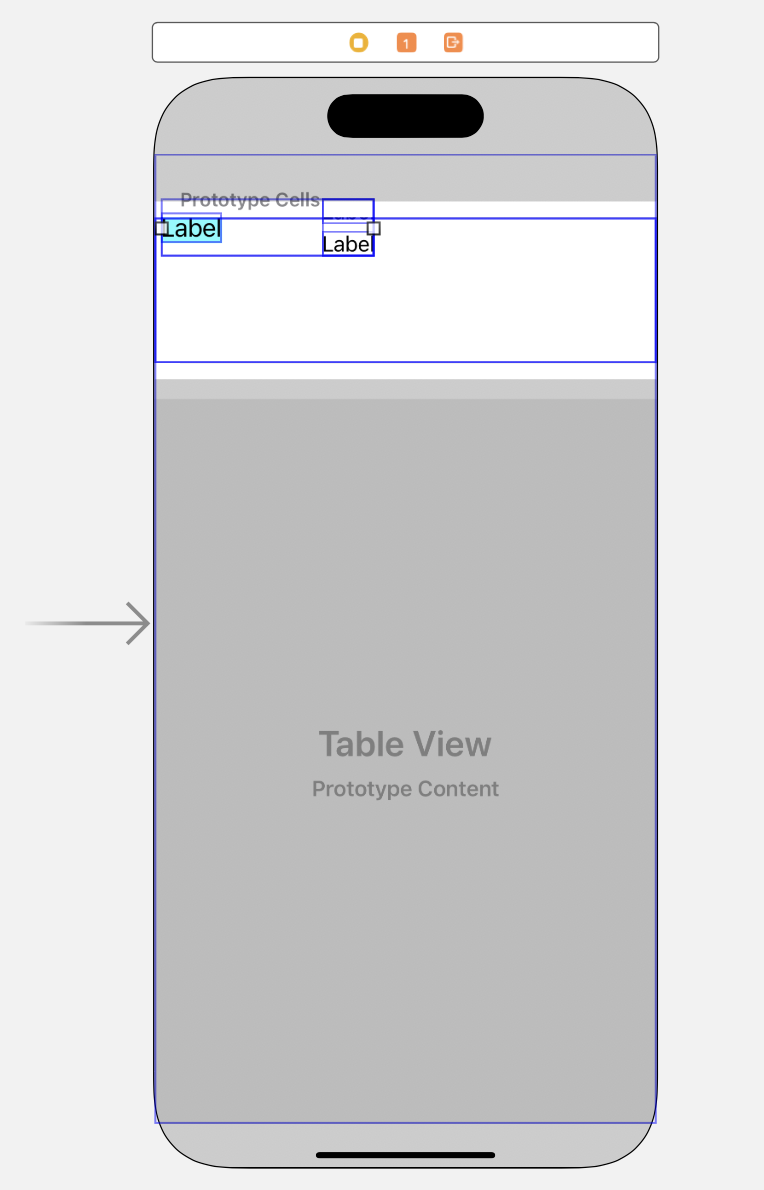
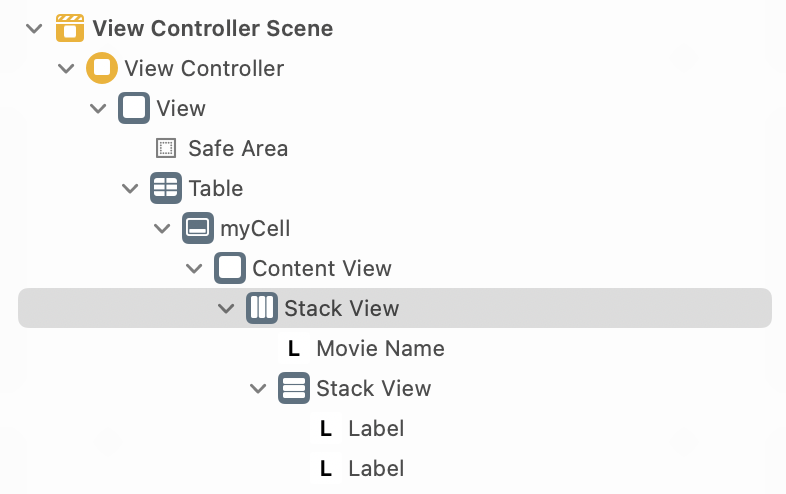
바깥쪽 스택뷰의 constraint 확인
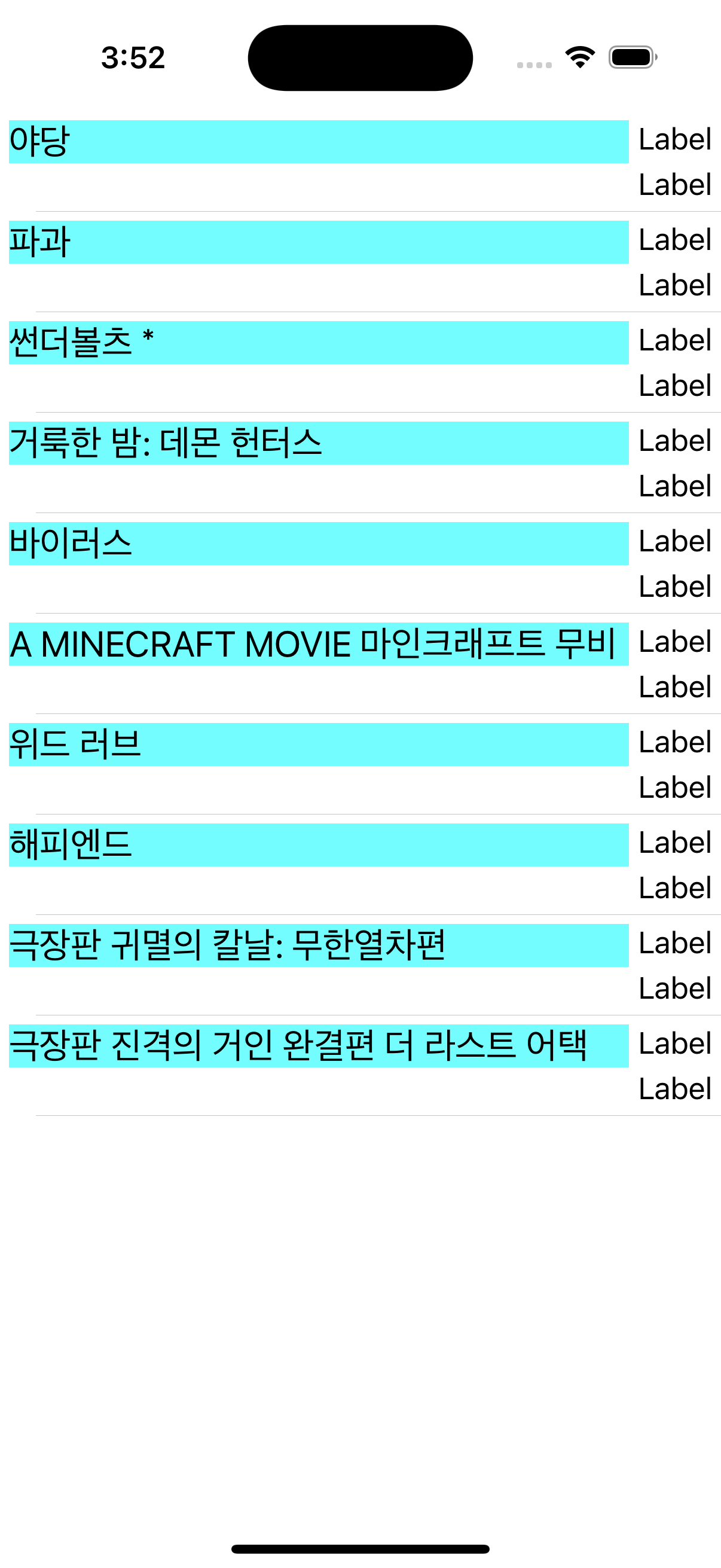
Label의 text 설정
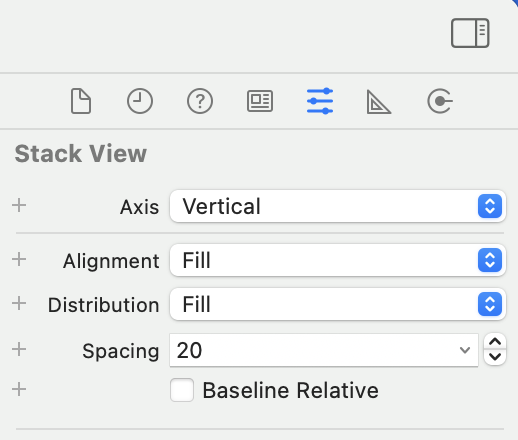
두 스택뷰의 Alignment를 Fill로, Distribution을 Fill Equally로 지정
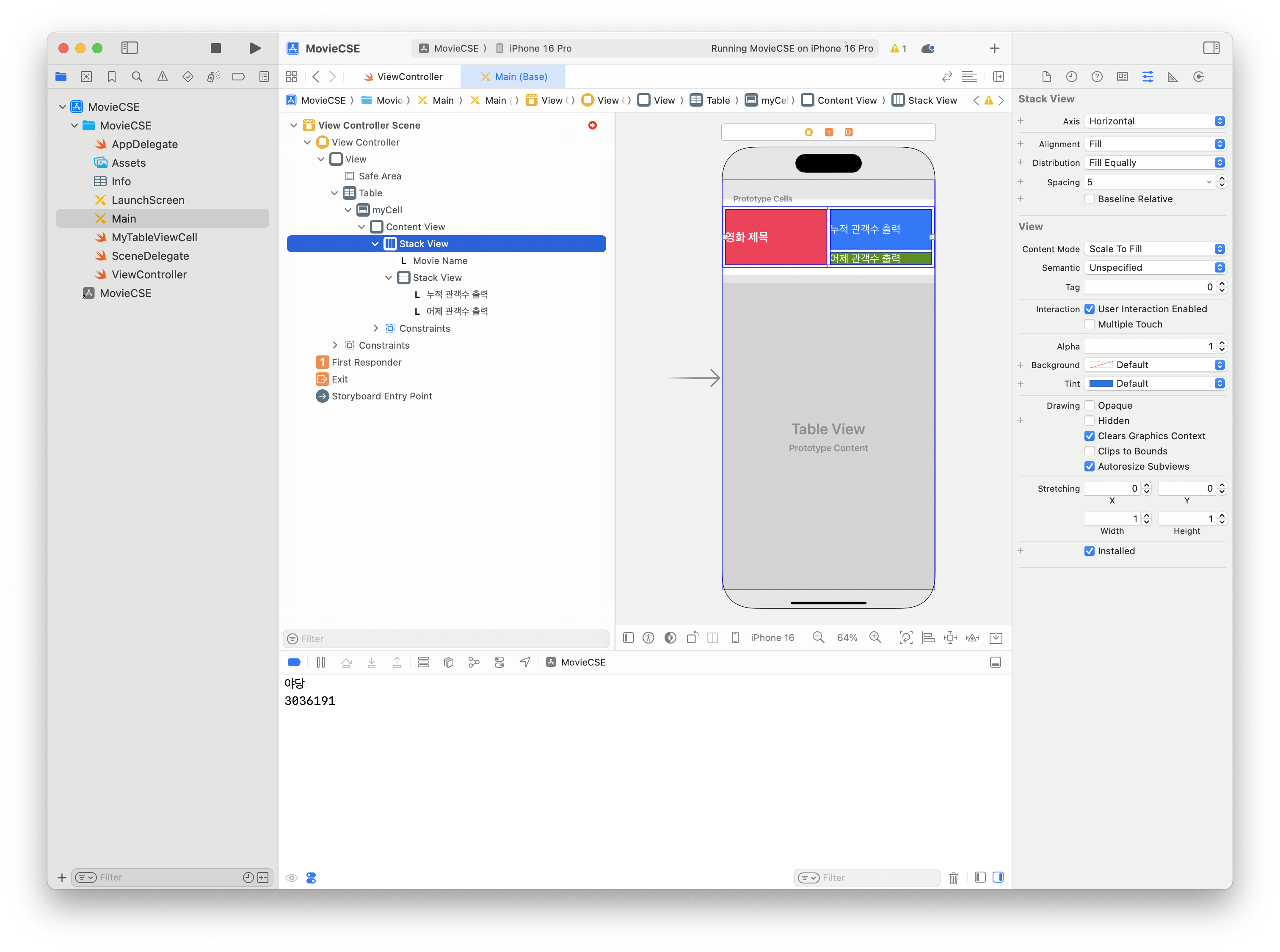
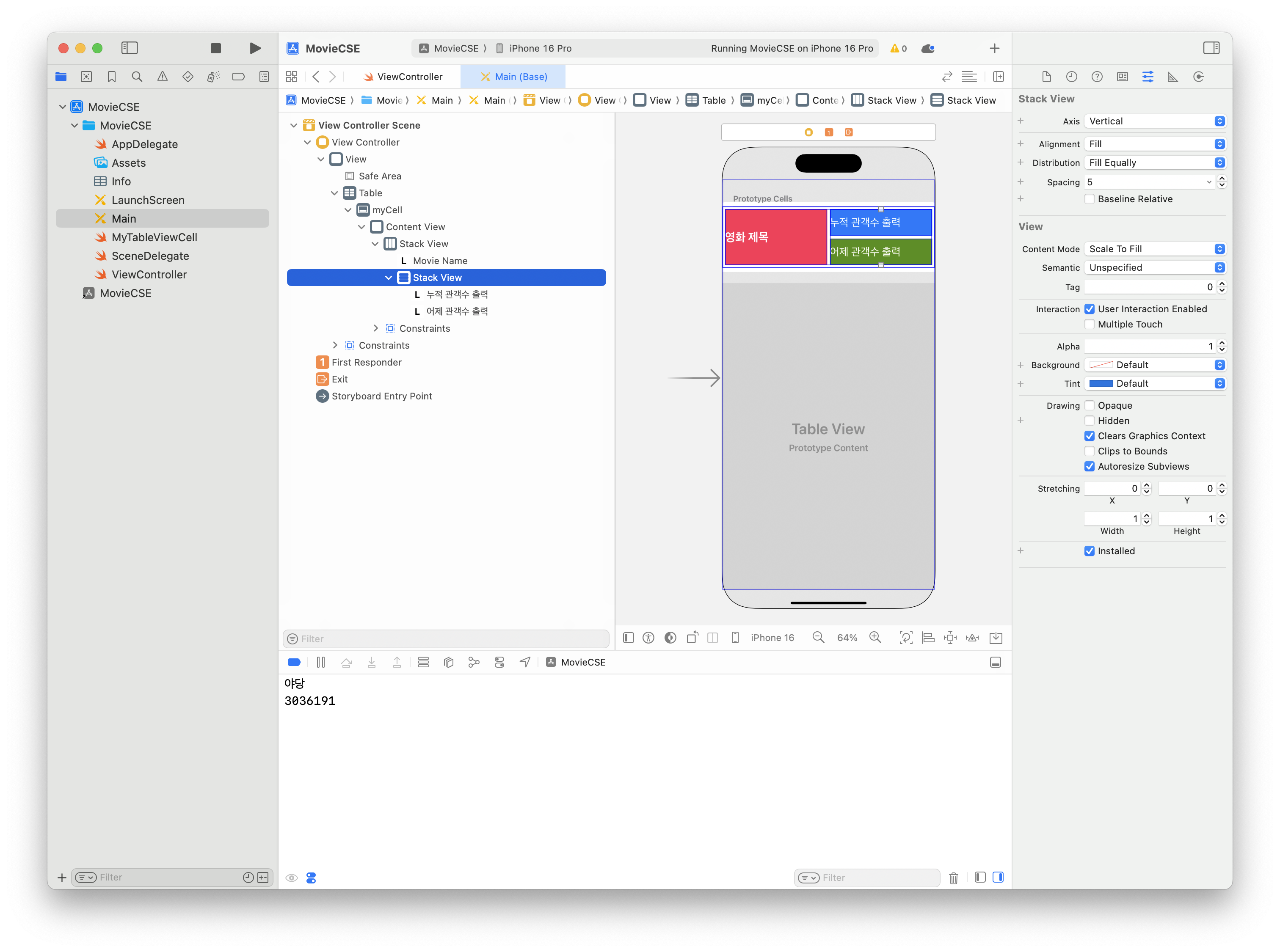
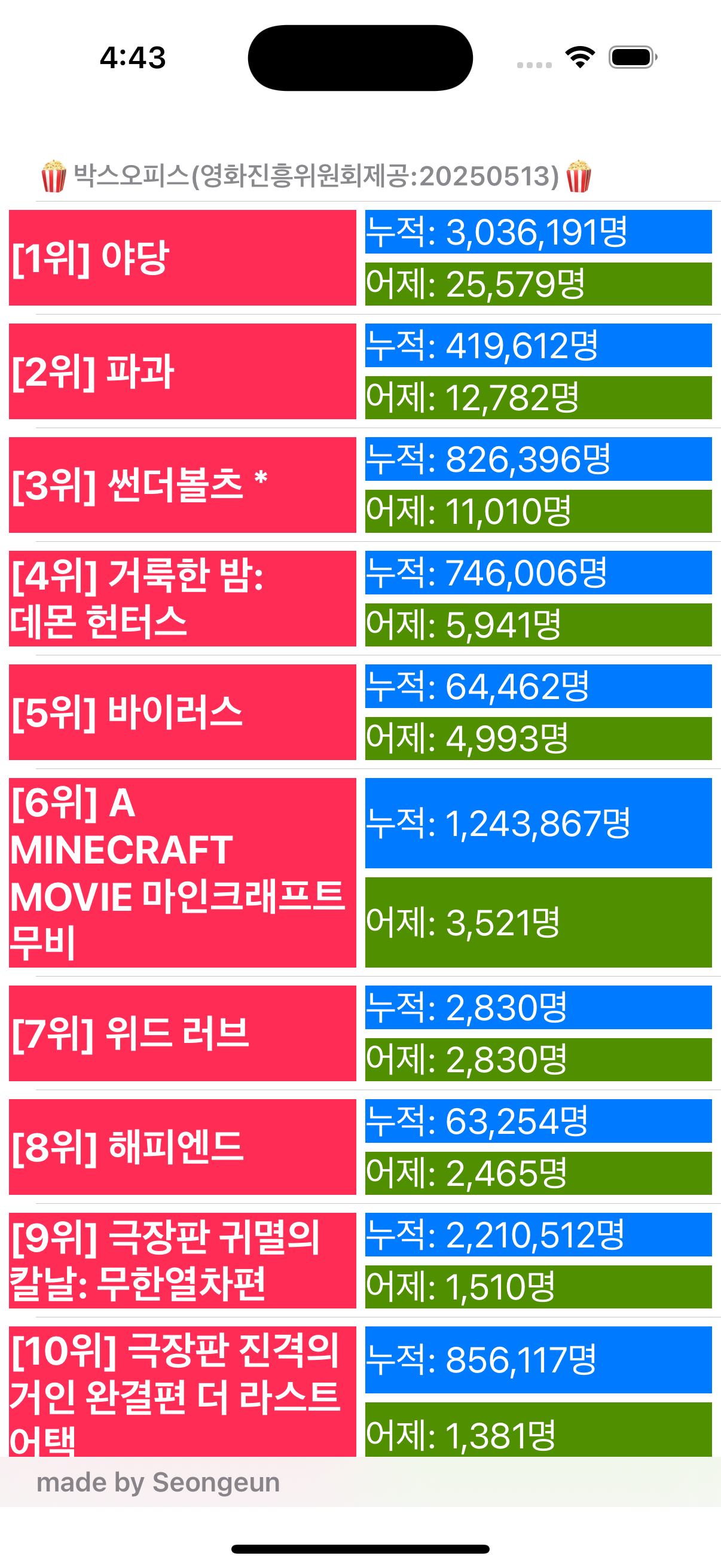
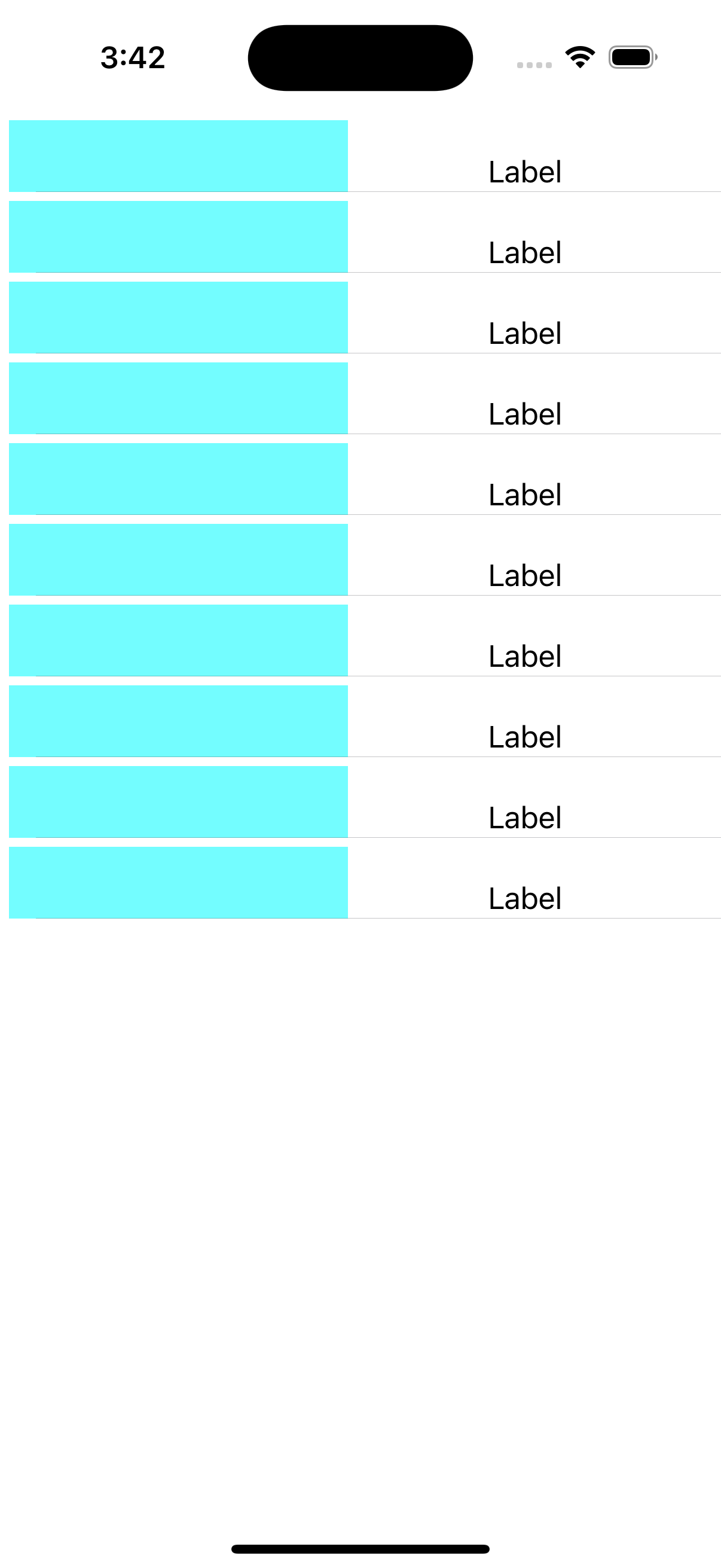
실행 결과 확인
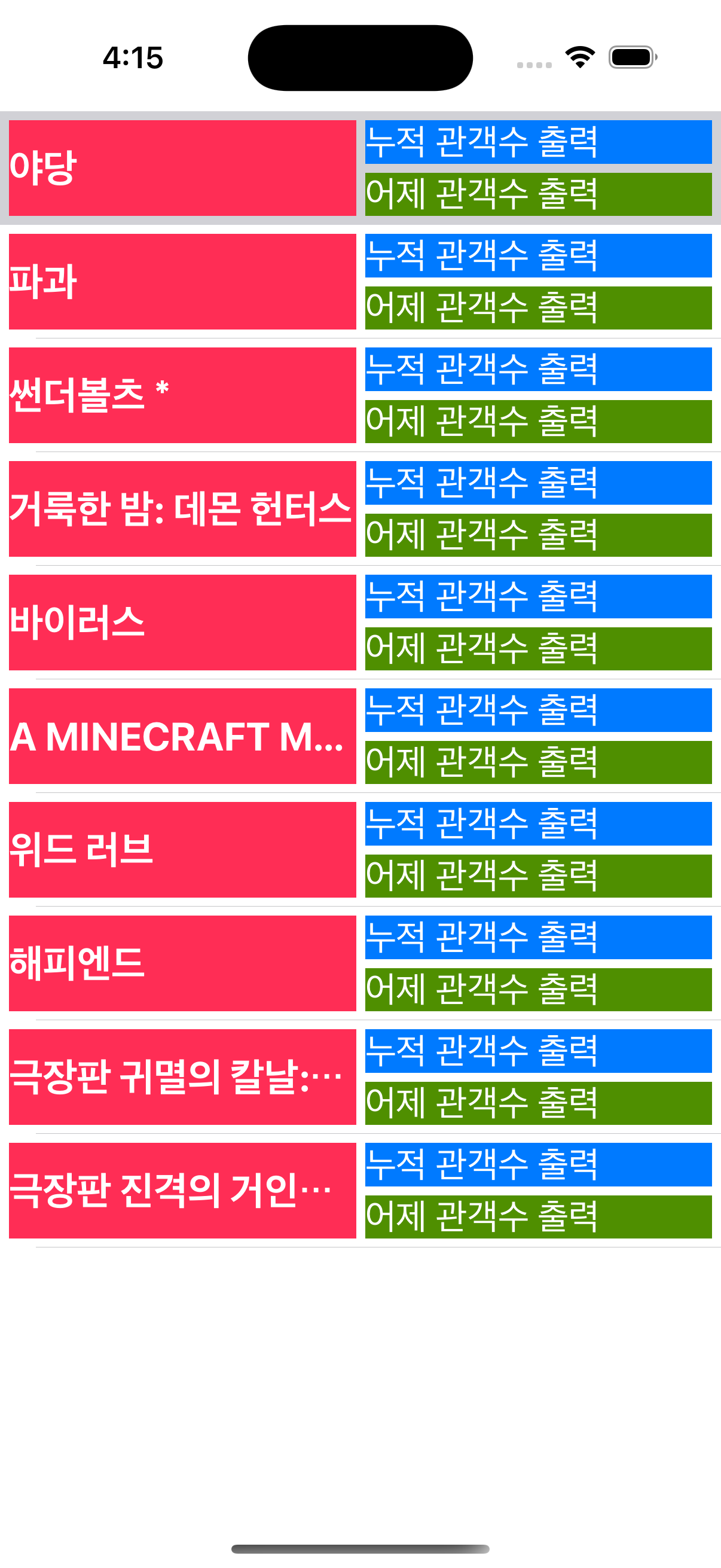

MyTableViewCell에 Outlet 추가 : audiAccumulate
Assistant editor(ctrl+alt+command+enter)로 storyboard와 소스 연결
누적 관객수 출력 레이블
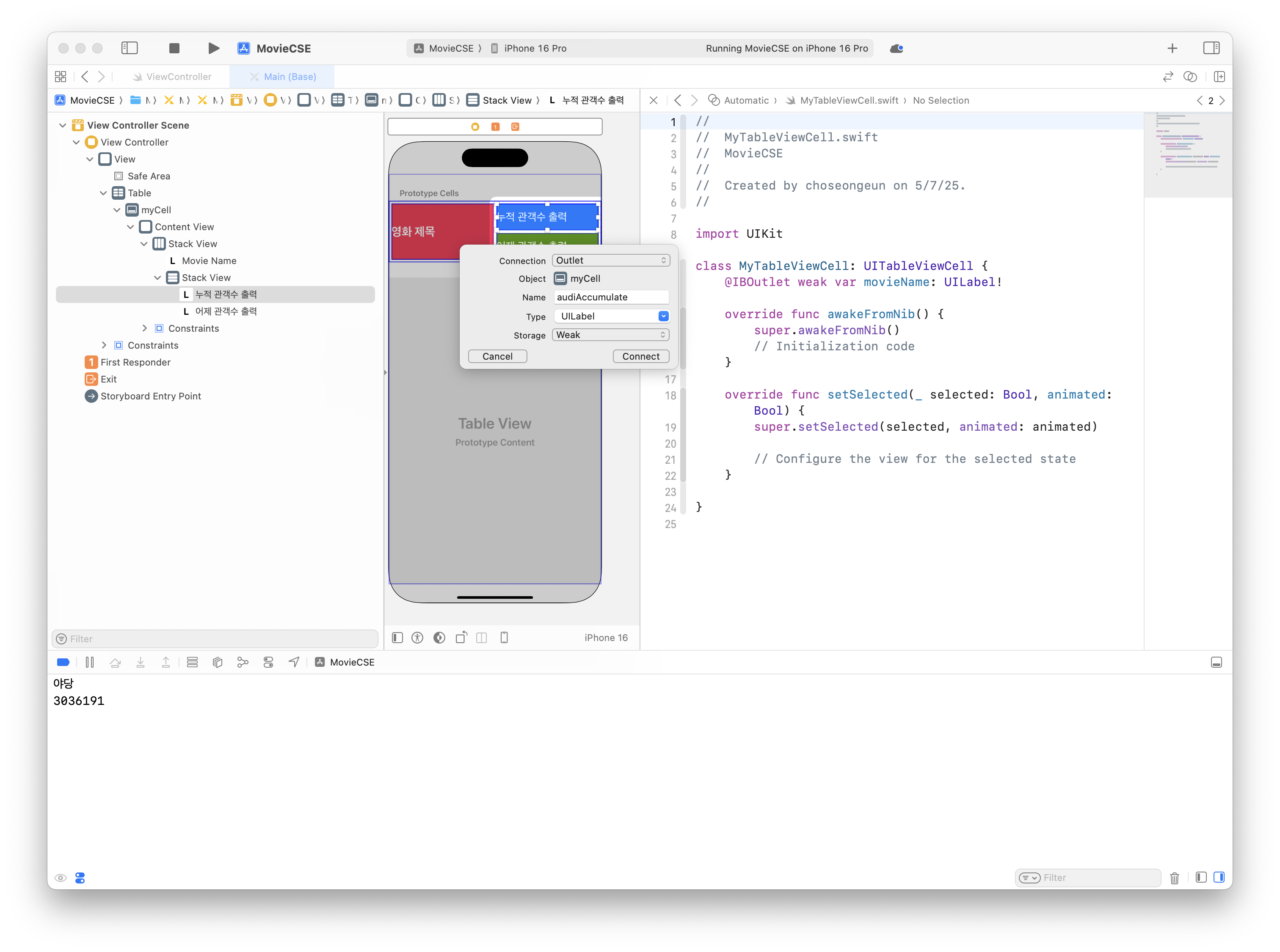
MyTableViewCell에 Outlet 추가 : audiCount
어제 관객수 출력 레이블
ViewController.swift의 cellForRowAt메서드 수정
    func tableView(_ tableView: UITableView, cellForRowAt indexPath: IndexPath) -> UITableViewCell {
        let cell = tableView.dequeueReusableCell(
            withIdentifier: "myCell",
            for: indexPath
        ) as! MyTableViewCell
        cell.movieName.text = movieData?.boxOfficeResult.dailyBoxOfficeList[indexPath.row].movieNm
        cell.audiAccumulate.text = movieData?.boxOfficeResult.dailyBoxOfficeList[indexPath.row].audiAcc
        cell.audiCount.text = movieData?.boxOfficeResult.dailyBoxOfficeList[indexPath.row].audiCnt
        return cell
    }
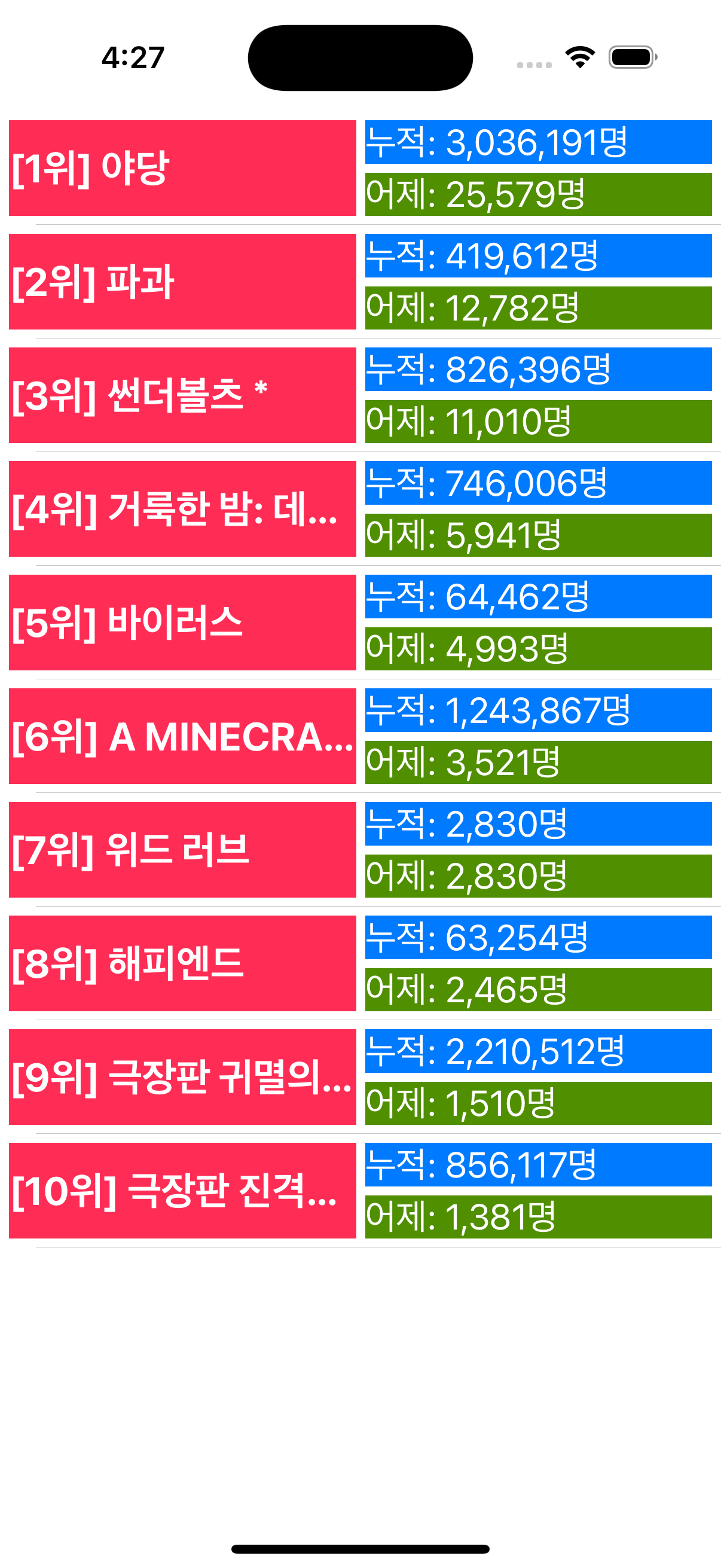
등수와 천(3자리)단위 콤마 추가
    func tableView(_ tableView: UITableView, cellForRowAt indexPath: IndexPath) -> UITableViewCell {
        let cell = tableView.dequeueReusableCell(withIdentifier: "myCell", for: indexPath) as! MyTableViewCell
        guard let mRank = movieData?.boxOfficeResult.dailyBoxOfficeList[indexPath.row].rank
        else {return UITableViewCell()}
        guard let mName = movieData?.boxOfficeResult.dailyBoxOfficeList[indexPath.row].movieNm
        else {return UITableViewCell()}
        cell.movieName.text = "[\(mRank)위] \(mName)"
        if let aCnt = movieData?.boxOfficeResult.dailyBoxOfficeList[indexPath.row].audiCnt {
            let numF = NumberFormatter()
            numF.numberStyle = .decimal
            let aCount = Int(aCnt)!
            let result = numF.string(for: aCount)!+"명"
            cell.audiCount.text = "어제: \(result)"
        }
        if let aAcc = movieData?.boxOfficeResult.dailyBoxOfficeList[indexPath.row].audiAcc {
            let numF = NumberFormatter()
            numF.numberStyle = .decimal
            let aAcc1 = Int(aAcc)!
            let result = numF.string(for: aAcc1)!+"명"
            cell.audiAccumulate.text = "누적: \(result)"
        }
        return cell
    }
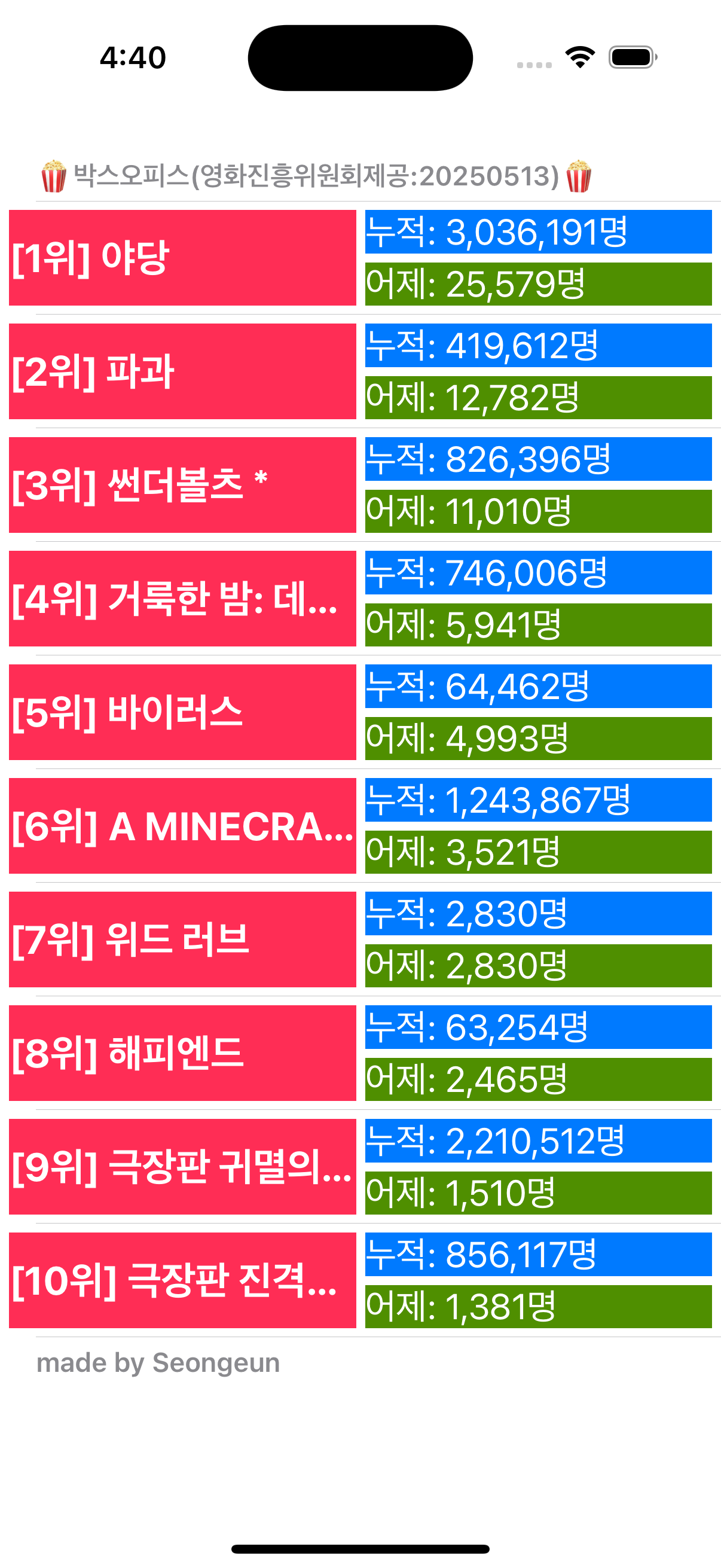
tableView(_:titleForHeaderInSection:), tableView(_:titleForFooterInSection)
    func tableView(_ tableView: UITableView, titleForHeaderInSection section: Int) -> String? {
        return "🍿박스오피스(영화진흥위원회제공:"+makeYesterdayString()+")🍿"
    }
    func tableView(_ tableView: UITableView, titleForFooterInSection section: Int) -> String? {
        return "made by Seongeun"
    }
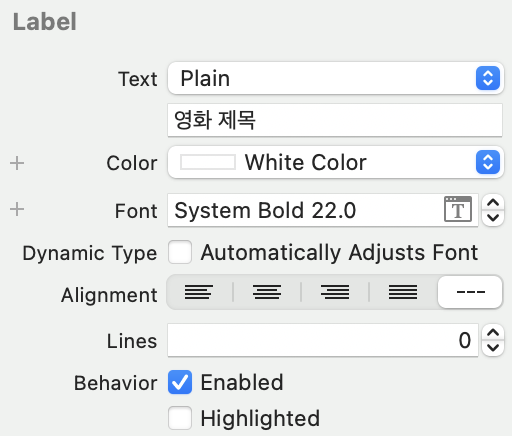
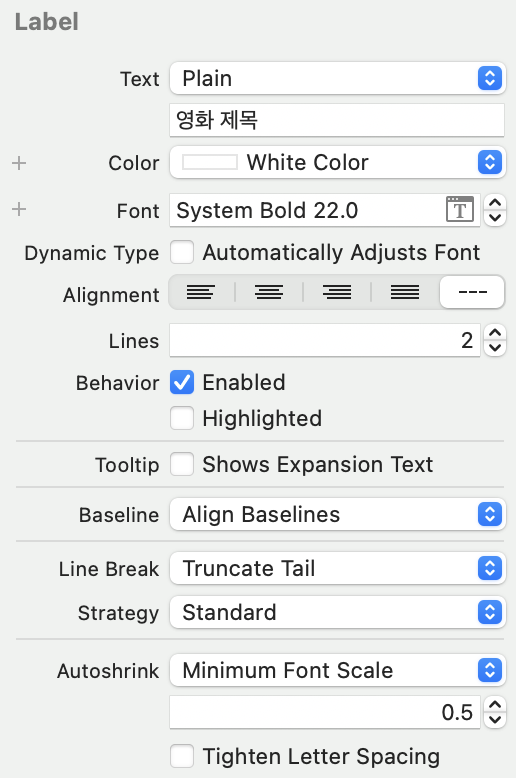
영화 제목이 길어서 제목에...이 나온다면
1. 칸 크기 동일하게 설정(텍스트 크기 변동)
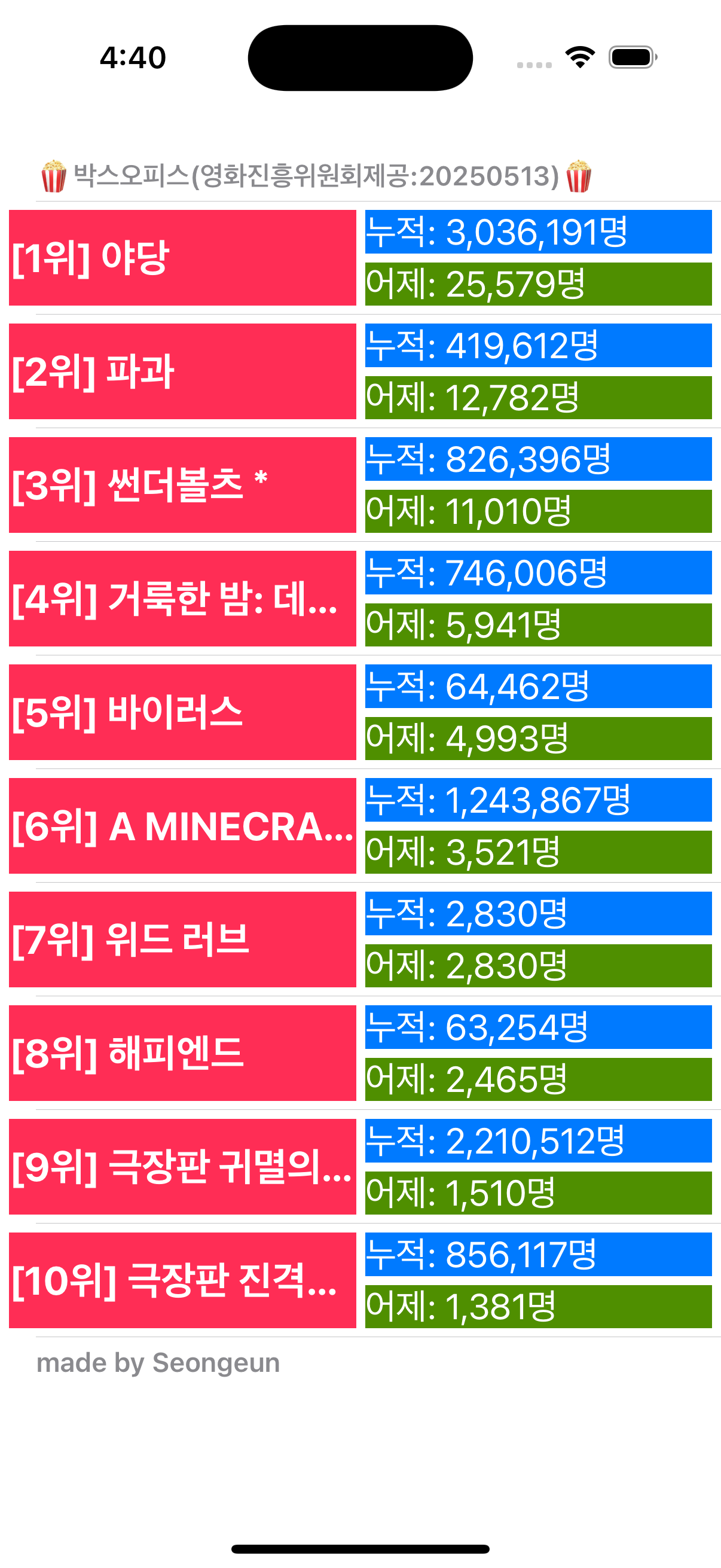
2. 텍스트 크기 동일(칸 크기 변동)